Review candidates with the role, reasoning, and next step in view.
RecruitOS gives recruiters and hiring teams one focused workflow for comparing candidates with role requirements, understanding recommendations, and keeping review progress organized.
Software-assisted review. Hiring decisions remain with your team.
The repetitive work should not hide the hiring decision.
Reviewing resumes against a role takes sustained attention. Requirements, candidate details, and review notes can become separated just when a recruiter needs to compare them.
RecruitOS organizes that first review into a clear workflow, helping teams process repeatable steps while preserving the context needed for a closer look.
From role requirements to a considered next action.
Each step keeps the candidate connected to the job and leaves the final decision with the people responsible for hiring.
- 01
Define the role
Start with the job context and requirements candidates should be reviewed against.
- 02
Add a candidate
Bring a resume into the workspace so the review stays connected to the active role.
- 03
Review the analysis
Inspect relevant experience, skills, concerns, and the reasoning behind the recommendation.
- 04
Choose the next action
Update the candidate status and decide what should happen next with the full context visible.
Keep the role, candidate pipeline, and progress connected.
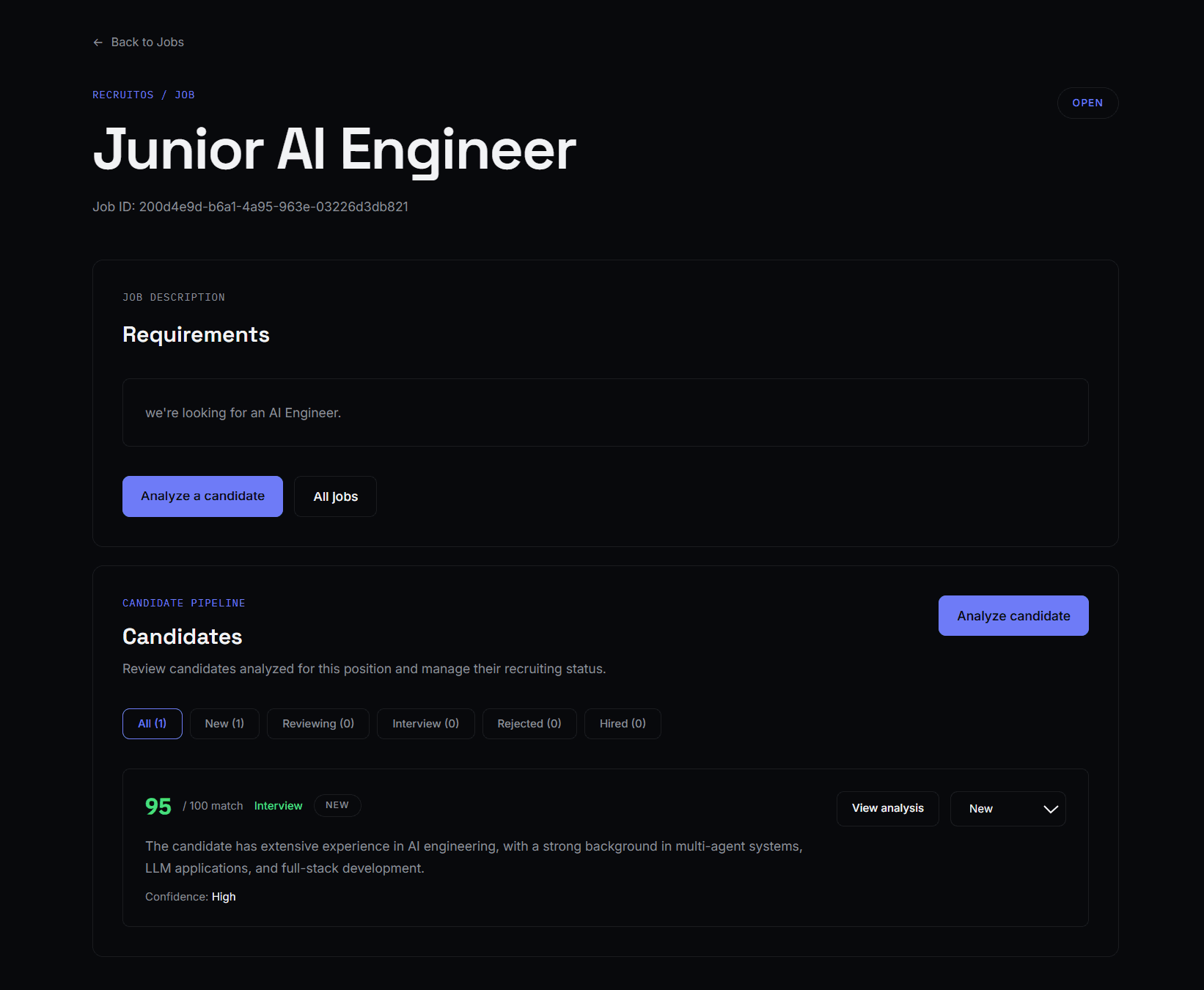
The RecruitOS workspace brings the information around candidate review into one focused view, so status and next actions do not disappear between disconnected steps.
- Role requirements remain visible during review
- Candidates stay connected to the correct job
- Status and progress are available in one workspace
- Review context
- See the active role and its requirements alongside the candidate pipeline.
- Visible progress
- Keep candidate status connected to the work instead of tracking it in a separate step.
- Next action
- Return to the workspace and understand where review attention is needed next.
A recommendation is more useful when you can examine the reasons.
RecruitOS surfaces role-related context alongside its recommendation. Recruiters can review the supporting information, question the result, and decide whether a candidate should move forward.
- Recommendation and match context
- Relevant experience and supporting summary
- Matching skills, gaps, and concerns
- Reasoning available for recruiter review

RecruitOS organizes the review. Your team makes the call.
Software assistance can process repetitive review work and surface useful context. It cannot replace the judgment required to interpret a candidate's experience or make a consequential hiring decision.
- RecruitOS helps
- Analyze role-related information, organize candidates, and explain recommendations.
- People decide
- How to interpret the context, whether to continue the conversation, and what happens next.
For teams that need a clearer candidate-review process.
RecruitOS is designed for recruiters, hiring teams, and smaller teams reviewing multiple candidates against active roles. It supports candidate review and organization without claiming to replace every part of an applicant tracking system.
Understand the first step, then move faster with practice.
RecruitOS follows the OperationOS principle: easy to learn, fast after you've learned it. The workflow keeps important context available and is designed to support guidance where unfamiliar decisions need more explanation.
Bring a clearer workflow to candidate review.
Share your details to receive updates when RecruitOS access becomes available.
RecruitOS is a focused recruiting product built by OperationOS.